
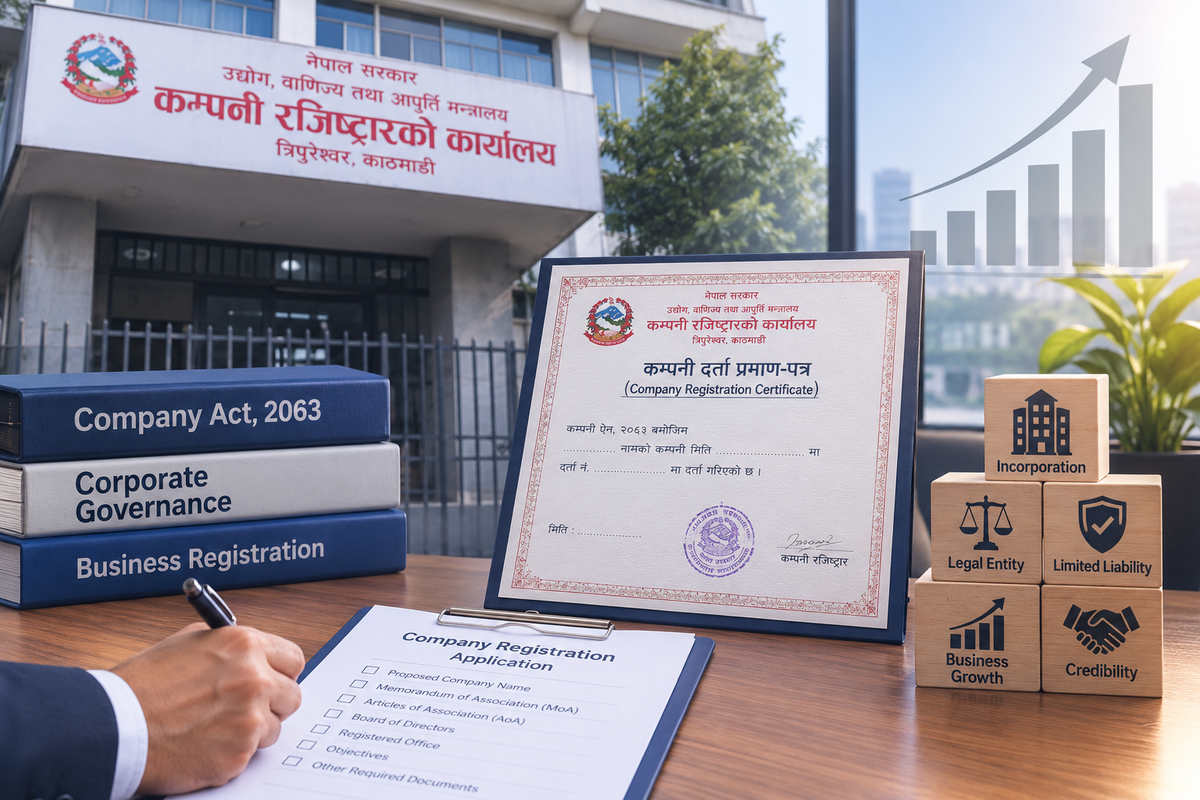
Registering a company in Nepal is done entirely online through the Office of the Company Registrar's (OCR) portal i.e. CAMIS. Whether you are forming a private limited company, a public limited company, or a foreign-invested entity, the process follows the same four broad stages: name reservation, document preparation, online submission, and OCR verification with fee payment.
What is a Company?
A company is a legal entity formed by one or more persons to carry out a lawful business or objective, with its own legal identity separate from its owners. Generally, it shields the shareholders from personal liability beyond their share investment, this is what distinguishes a company from a sole proprietorship or a general partnership.
What is the Legal Basis for Company Registration in Nepal?
Company registration and regulation in Nepal is primarily governed by:
- Companies Act, 2063: the principal law governing incorporation, MOA/AOA requirements, share structure, and corporate governance
- Industrial Enterprises Act, 2076: applicable where the company involves industrial operations.
- Foreign Investment and Technology Transfer Act, 2075: applicable where the company involves foreign investment.
The Office of the Company Registrar (OCR), under the Ministry of Industry, Commerce and Supplies, is the regulatory body responsible for incorporating and administering companies in Nepal.
How do you Reserve a Company Name?
The first step in registering a company in Nepal is reserving a unique company name through the online system:
- Create an account on the CAMIS portal.
- Propose a unique company name that reflects the business it will operate.
- Check whether the proposed name is available in both English and Nepali.
- If the name is available, select the applicable Nepal Standard Industrial Classification (NSIC) objective.
- Submit the name reservation request.
- OCR approves or rejects the reserved name.
It is advisable to propose two or three alternative names in case the first choice is rejected due to similarity with an already-registered name or a restricted term. Once a name is approved, the applicant must generally complete the full registration process within 90 days, or the reservation may lapse.
What are the Documents Required for Company Registration in Nepal?
While the name reservation is being processed (or immediately after approval), the promoters should gather and prepare the following documents:
- Application to incorporate a company.
- Memorandum of Association (MOA), outlining the company name, address, objectives, capital, structure, and related details under the Companies Act, 2063.
- Articles of Association (AOA), outlining operating procedures such as board and general meetings, share calls and distribution, auditor appointment, and related matters.
- Promoter identity documents such as National Identity Card(NID), citizenship or passport.
For companies with corporate promoters, additional documents such as the promoter company's registration certificate and board resolution are typically required. Public companies must have at least seven shareholders at the time of incorporation.
How do you Submit the Application to OCR?
Once the documents are ready, they are submitted through the CAMIS portal:
- Upload all signed documents through the CAMIS portal.
- Ensure promoter, witness, and drafter signatures and thumb impressions are included where required.
- Upload documents in high-quality PDF form.
Applicants should monitor the CAMIS portal regularly and respond promptly to any r correction requests by the OCR’s officer, as most delays occur at this review stage due to inconsistent names, missing identification numbers, or unsigned documents.
What Happens During OCR Verification and Fee Payment?
- OCR reviews the submitted documents for compliance with the Companies Act, 2063.
- Registration fees are paid based on the authorized capital of the company.
- After compliance review and payment, OCR issues the company registration certificate.
The registration certificate is issued electronically, complete with a QR code for instant verification, and can be downloaded directly from the CAMIS portal.
What is the Applicable Fee for Registration of Company?
Fees are based on the authorized capital of the company. Check the applicable fee for OCR.
What is the Compliance Required After Registration of Company?
Incorporation is only the first step. After the company is registered, it must comply with:
- PAN/VAT registration based on expected turnover or business nature. It can be done through the CAMIS portal and does not require to visit Inland Revenue Office.
- Business registration at the local level (Ward Office/Municipality).
- Notification of address of registered office of Company within 3 months.
- Appointment of a statutory auditor, with notification to OCR.
- Payment of Issued capital of the Company and certification of Shareholder register.
- Certification of Director and company secretary register.
- Sector-specific licenses, where applicable — for example, Department of Industry approval for industrial enterprises, Nepal Rastra Bank approval for banking and financial institutions, or Department of Information and Broadcasting approval for media companies.
- Annual Compliance like Annual General Meeting(AGM).
Companies with foreign investment must also obtain approval from the Department of Industry (DOI) under FITTA, 2075, generally before OCR registration is completed.
Frequently Asked Questions (FAQs)
1. Where can I register a company in Nepal?
Company registration in Nepal is done through the Office of the Company Registrar's online portal CAMIS.
2. How long does company registration take in Nepal?
Company registration in Nepal generally takes 7 to 14 days.
3. What is the minimum capital required to register a company in Nepal?
A private limited company generally requires a minimum paid-up capital of NPR 1,00,000 while a Public limited companies generally requires a minimum paid-up capital of NPR 1,00,00,000.
4. Do I need a PAN before I can start business operations?
Yes. After receiving the company registration certificate, the company must register for a PAN/VAT based on expected turnover or business nature, before opening a bank account, raising invoices, or beginning commercial transactions. However, PAN/VAT registration can be done through Office of the Company Registrar's online portal without visiting Inland Revenue Office.
5. What documents are required to incorporate a company in Nepal?
The core documents are the incorporation application, the Memorandum of Association (MOA), the Articles of Association (AOA), and promoter identity documents such as National Identity Card (NID), citizenship or passport. Application, MOA and AOM must be duly signed and uploaded as high-quality PDFs.
6. Can foreign investors register a company in Nepal?
Yes. Foreign investors can register a company under the Foreign Investment and Technology Transfer Act (FITTA), 2075, but must first obtain approval from the Department of Industry before the OCR processes the company registration.
7. What happens if my proposed company name is rejected?
If the proposed name conflicts with an existing company name or violates OCR 's naming rules, the applicant must propose an alternative name and resubmit the reservation request, which is why applicants are advised to prepare more than one name option in advance.